Generate Private Key wizard
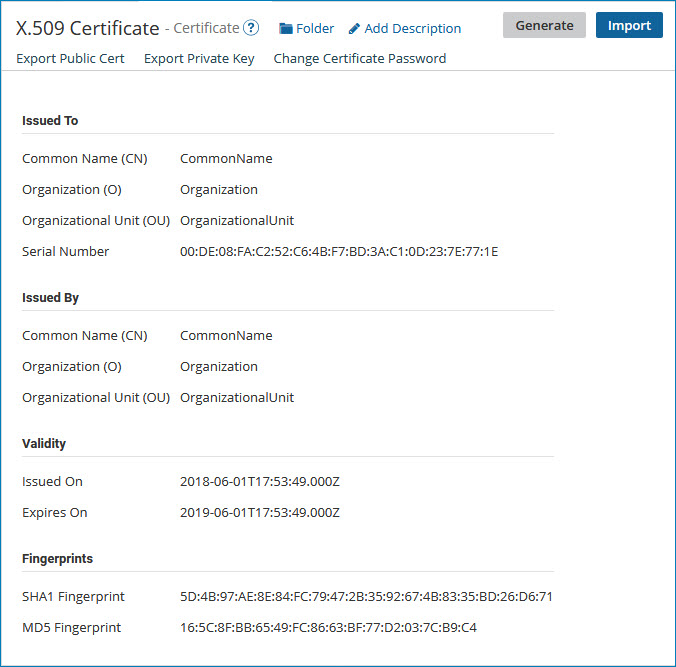
When you create a private X.509 certificate and generate a private key for it, you must enter information about the certificate using the Generate Private Key wizard. That information is then stored in the certificate.
X.509 Name
Description
Common Name (CN)
Free-form description
Organization (O)
Free-form description
Organizational Unit (OU)
Free-form description
Locality (L)
City
State/Province (ST)
State abbreviation
Country (C)
Country abbreviation; US = United States
Password
Click Click to Set, enter the password, and click Apply.
Signature Algorithm
Selects the cryptographic Secured Hash Algorithm (SHA) used to generate the digital signature for the key. These are the available selections:
-
SHA2-512 — 512-bit hash function using 64-bit words (default)
-
SHA2-384 — 384-bit hash function using 64-bit words
-
SHA2-256 — 256-bit hash function using 32-bit words
-
SHA2-224 — 224-bit hash function using 32-bit words. This algorithm is not fully supported by some versions of Windows.
-
SHA1 — 160-bit hash function. This algorithm is no longer approved for most cryptographic uses.
Key Length
Selects the length, in bits, of the generated key. These are the available selections:
-
2048 (default)
-
1024
Validity (in days)
365 (default)
When you create a PGP certificate and generate a private key for it, you must enter the following information, which is stored in the private certificate:
PGP Name
Description
Identity
Free-form description
Pass Phrase
Boomi
Key Algorithm
Selects the algorithm used to generate the key. These are the available selections:
-
DSA — Digital Signature Algorithm (default)
-
RSA — enables generation of an encrypted key
Key Length
Selects the length, in bits, of the generated key. These are the available selections:
-
4096 (available only if Key Algorithm is set to RSA, in which case this selection is the default)
-
2048 (available only if Key Algorithm is set to RSA)
-
1024 (this is the only available selection if Key Algorithm is set to DSA)

